
Technical Doc Simplifier
50 views · 3 copies · 1 likes
 Oentrix Admin
Verified
Oentrix Admin
Verified
Asking a model to simplify technical writing usually produces something worse than the original. It shortens sentences, removes the words it judges difficult, and hands back prose that reads easily and is now subtly wrong. Precision was the point of those difficult words, and dropping them does not make the document accessible - it makes it inaccurate in a way that is harder to detect.
The real problem in technical documentation is rarely vocabulary. It is unstated assumptions. A paragraph is hard to read because it assumes you already know what a token bucket is, that the operation is idempotent, or that step three fails silently if you skip step two. The reader does not need simpler words. They need the missing prerequisite named.
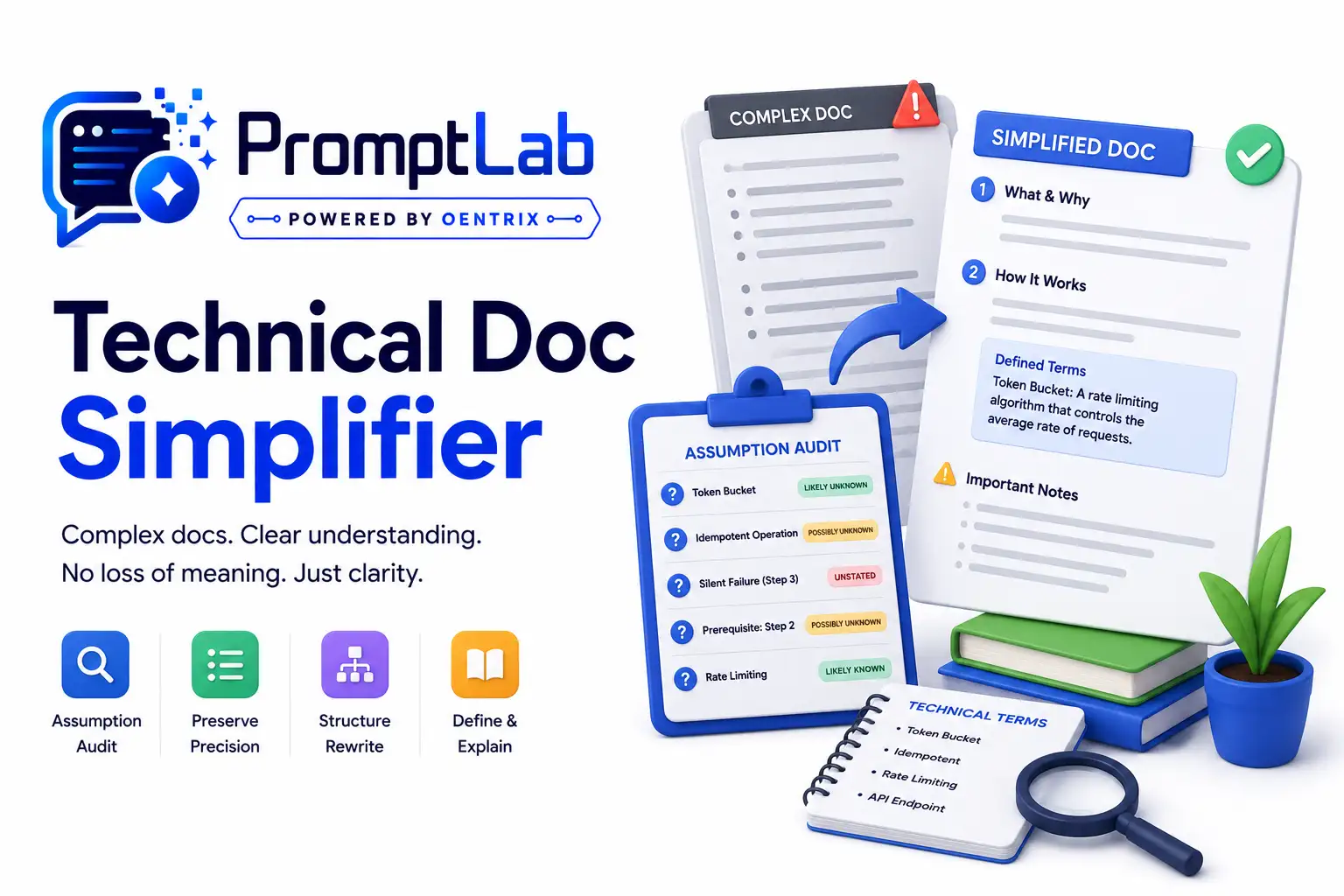
This prompt separates those two things rigorously. It identifies genuine complexity that can be restructured, and it identifies necessary complexity that must be preserved and explained instead. Technical terms are never removed. They are defined on first use and then used consistently, because a reader who finishes your document not knowing the correct term has been poorly served - they cannot search for help, read the API reference, or ask a coherent question.
The assumption audit is the most valuable section. It lists everything the document takes for granted and marks whether the stated audience plausibly knows it. This is where the curse of knowledge shows up. The person who wrote the document could not see these gaps, and neither can anyone else on the team who shares the same background. That is precisely why an outside reader is needed, and why a model with no context is unexpectedly good at this particular job.
The structure rewrite handles a second common failure - documents that explain before saying what the thing is for, or that bury the destructive step in the middle of a paragraph. Warnings must precede the action they warn about, which sounds obvious and is violated constantly.
A usage note. State the audience precisely. Simplify this is meaningless, because the correct output for a backend engineer new to your system and for a support agent are entirely different documents. The prompt is instructed to ask if the audience is vague rather than guess.
Always verify the output technically. The model can preserve fluency while corrupting a detail, and a confidently worded wrong instruction in documentation causes more damage than an awkwardly worded correct one.
You improve technical documentation for a specific audience. You will NOT remove technical terms and you will NOT sacrifice accuracy for readability.

INPUTS
Document: [paste]
Audience: [be specific - for example backend engineer new to this codebase, or support agent with no coding background]
What the reader is trying to accomplish: [the task]

If the audience is vague, ask me to clarify before proceeding. Do not guess.

SECTION 1 - ASSUMPTION AUDIT. List everything the document assumes the reader already knows. For each: the assumption, whether the stated audience plausibly holds it as LIKELY or UNLIKELY, and what breaks for the reader if they do not. This is the most important section - be exhaustive.

SECTION 2 - COMPLEXITY CLASSIFICATION. Go through the difficult passages and sort each into:
ACCIDENTAL - hard because of how it is written. Can be restructured without loss.
ESSENTIAL - hard because the subject is hard. Must be preserved and explained, never simplified away.
For each essential item, give the definition or short explanation to insert on first use.

SECTION 3 - STRUCTURE. Identify where the document explains before stating purpose, buries a destructive or irreversible step, or places a warning after the action it warns about. Propose the corrected order.

SECTION 4 - REVISED DOCUMENT. Rewrite it. Keep every technical term, defining each on first use and then using it consistently. Keep every caveat and condition. Add explicit prerequisites at the top. Mark any place where I must supply information you do not have as [VERIFY: description].

SECTION 5 - ACCURACY RISK. List anything in your rewrite where meaning could have shifted, so I can check those lines specifically.

RULES
Never delete a technical term to make text easier. Define it instead.
Never drop a condition, edge case, or warning.
Do not invent behaviour that is not in the source. If something is ambiguous, mark it rather than resolving it.
Do not add filler such as introductions that restate the title.
Recommended AI Model
This prompt works best with Claude 3.5 Sonnet, GPT-4o. Other capable models will also work - compare them on our AI Models page.
Video Guides
Prompt Guide
How to Use
Copy the prompt below and paste it into Claude 3.5 Sonnet, GPT-4o. Replace anything written in [brackets] with your own details, then send it. The more context you give about your goal, audience and tone, the better the result will be for Writing work.
Step-by-step Instructions
- 1 Click the Copy button on the prompt above.
- 2 Open Claude 3.5 Sonnet, GPT-4o and start a new chat.
- 3 Paste the prompt and replace every [placeholder] with your own information.
- 4 Send the prompt and read the first draft carefully.
- 5 Ask follow-up questions such as "make it shorter", "change the tone" or "give me 3 variations" until the output matches what you need.
Recommended AI Model
Claude 3.5 Sonnet, GPT-4o
Tips
- Be specific: mention your audience, goal and preferred length.
- Add an example of the style you like so the AI can match it.
- Ask for the output in a table or list when you need structure.
- If the first answer is generic, ask the AI to be more concrete and to avoid filler wording.
- Save the versions that work well so you can reuse them later.
Expected Output
A ready-to-use result for "Technical Doc Simplifier" that you can refine further with follow-up messages. Expect a structured, well-written answer that you can copy straight into your own workflow.
Related Prompts
Reverse Outline Editor
Most writing advice tells you to outline before you draft. That advice fails the moment you inherit a draft that already
Voice Match Ghostwriter
Asking a model to write in a specific voice usually produces a caricature. It grabs the two most visible surface feature
Comments (0)
No comments yet. Be the first to share your results.